

Use cases
Create a complex reminder
Thor has an internal CRON engine that can be used to create complex recurring reminders using all the internal data context Thor has about you and your team:
Weekly Messages
Thor can automatically send you a weekly recap at the end of Friday with a list of everything you accomplished, any outstanding action items & insights from the week. Additionally, Thor can send you a Monday kickoff message at the start of the week with a list of your priorities for the week. To enable this, click on “Manage Notifications” from the Thor “Home” tab and toggle “Weekly messages via DM” to on.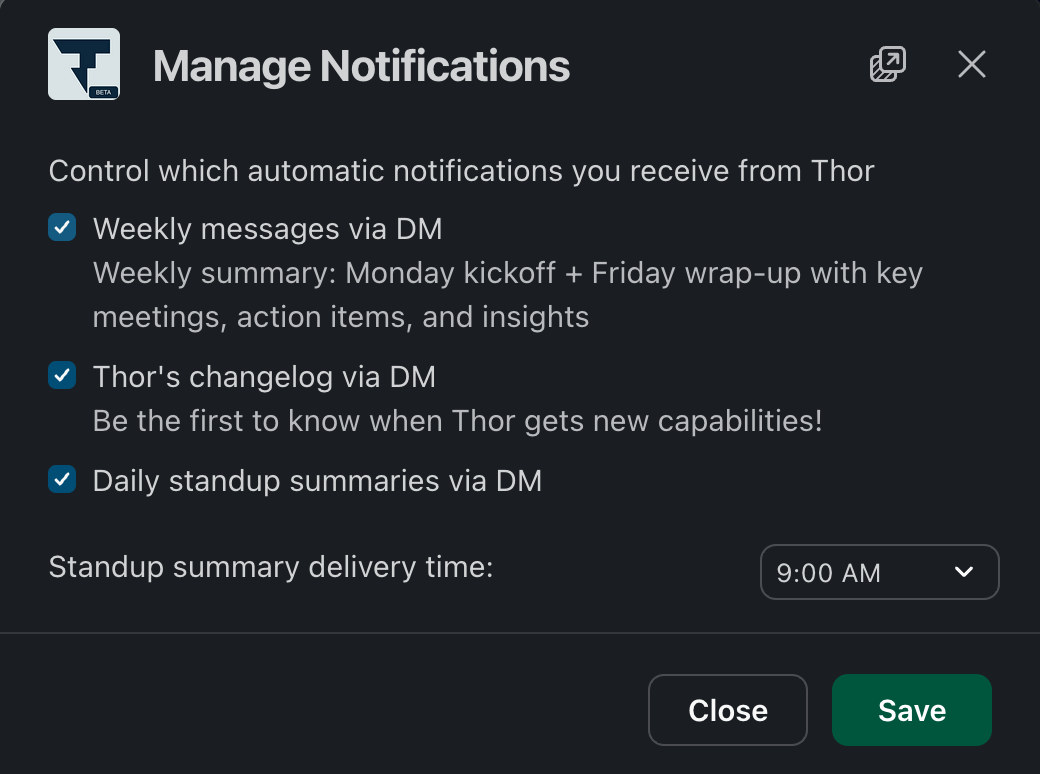
Quick actions on reminders
When a reminder includes a work item (an issue, PR or task), Thor renders inline quick action buttons directly in the message — so you can update status or take the next step without typing a single word. This updates the status of the work item immediately and keeps your systems of record in sync.Manage automations from Slack
You can manage all of your Thor automations and reminders directly from the Thor Slack app’s Home tab — no need to leave Slack:
- Browse all of your active datetime triggers at a glance, with timezone-aware previews of exactly when each one will fire.
- Create new automations and reminders, including fully custom prompts driven by Thor’s CRON engine.
- Edit or delete existing automations from an overflow menu.